US and Canadian numbers · iPhone and Android

A second phone number. No new SIM.

Pick a real US or Canadian number and start calling and texting right away. TextUp runs on the phone you already have, over Wi‑Fi or mobile data.

Sign in with Google, Apple or Facebook, or continue as a guest.

  • Pick a number by state or province, then area code.
  • Incoming calls ring like a normal call, even on the lock screen.
  • Record calls and get transcripts and AI summaries.
Get a 2nd number for calling and texting: the app keypad with a US number and a Canadian number to call from
  • Your real number is never shown to people you call or text.
  • Up to three labeled lines on iPhone.
  • Works over Wi‑Fi or mobile data. No SIM, no eSIM.
Calls SMS & MMS Voicemail Call recording AI summaries Call forwarding Spam blocker Do Not Disturb App Lock 30 languages

One phone, two numbers. Hand out a number that isn't your personal one, keep work and home apart, and take a US or Canadian line with you wherever you go.

30languages, including right-to-left Arabic and Persian
3labeled lines in one app on iPhone
10photos, videos or files in one message
10daysyour number is held if your plan lapses

Features

Everything a phone line does, in one private app.

Calls, texts, voicemail and recordings sit together, with the controls you expect from a real phone.

SMS and MMS

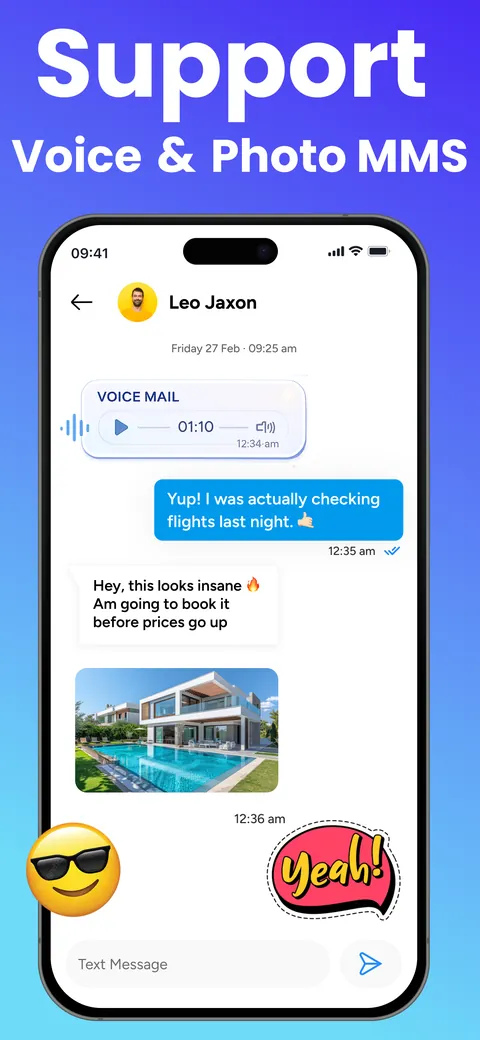
Text any phone number. Send up to 10 photos, videos or documents in one message, with voice notes, dictation and read receipts.

Calls

Call any mobile or landline. Calls ring with CallKit on iPhone and full screen on Android.

Voicemail

Personal voicemail with its own inbox. Play, call back or mark as read.

Call forwarding

Send calls to any other number, set separately for each line.

Spam and call blocker

Block numbers from Recents, Contacts or a chat, with guided setup.

Speaks 30 languages

Including right-to-left Arabic and Persian. Or let TextUp follow your system language.

Recents and contacts

Filter by All, Missed, Voicemail or Recorded. Each contact shows your call history with them.

Do Not Disturb

Silence calls and notifications now, or on a schedule.

App Lock

Face ID, Touch ID or fingerprint, with a 4-digit passcode backup.

How it works

Three steps to a second line.

Everything happens in the app. There's no SIM to insert and nothing to swap.

Step 1 of 3

Download TextUp

Get it from the App Store or Google Play, then sign in with Google, Apple or Facebook. Guests can skip sign-in.
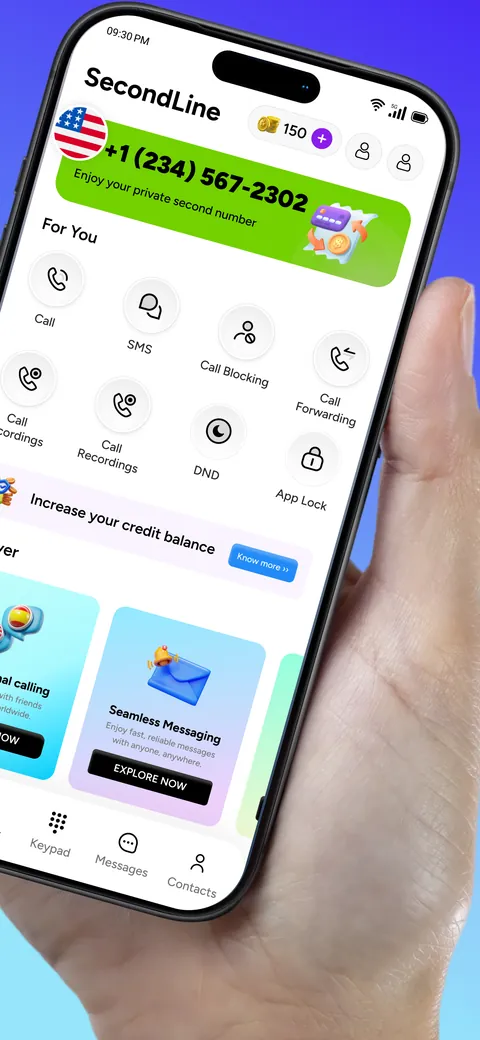
The app's home screen, showing your second number and its features
Step 2 of 3

Pick your number

Browse Quick Pick, or search by state or province and then area code. Confirm it and the number is active right away.
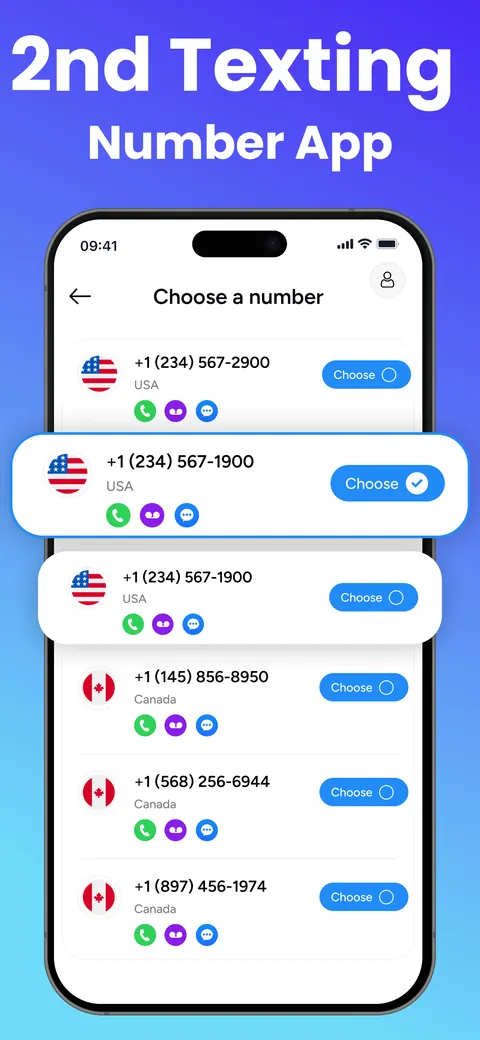
Choose a number: a list of US and Canadian numbers with calling, voicemail and texting
Step 3 of 3

Call and text

Call or text any phone from your new line over Wi‑Fi or mobile data. People only see your TextUp number.
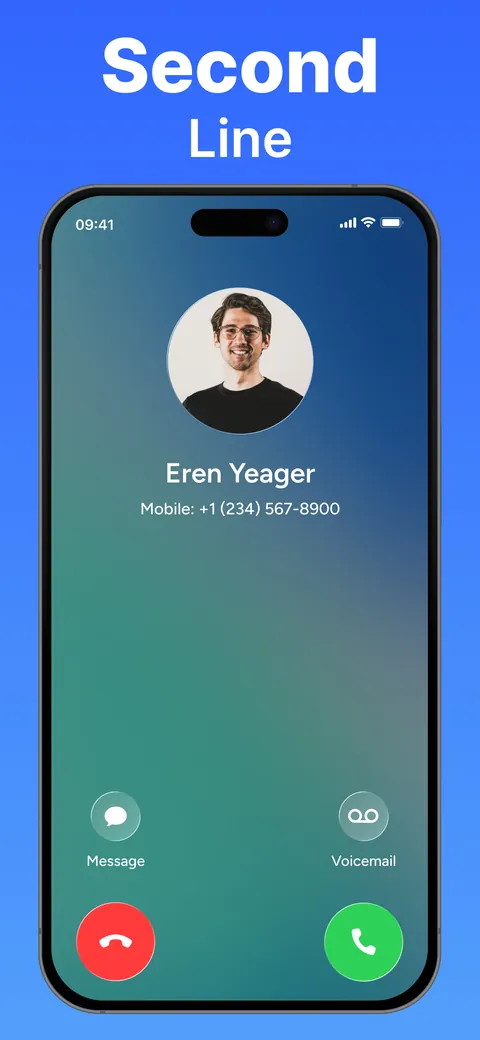
An incoming call to your second line
Voice and photo messages: a chat with a voice message and a photo

The difference

A second SIM vs. a TextUp line.

A second SIM means extra hardware and another carrier plan. TextUp puts your second line in an app on the phone you already carry.

Get your number
Second SIM or phoneExtra hardware, another plan
  • What you needDual-SIM phone or second device
  • Getting a numberA new carrier plan
  • Several numbersOne SIM per number
  • Call recordingUsually a separate app
  • LeavingCarrier plan terms
TextUpApp-based and private
  • What you needThe phone you already have
  • Getting a numberIn the app, active right away
  • Several numbersUp to 3 lines on iPhone
  • Call recordingBuilt in, with AI summaries
  • LeavingCancel anytime
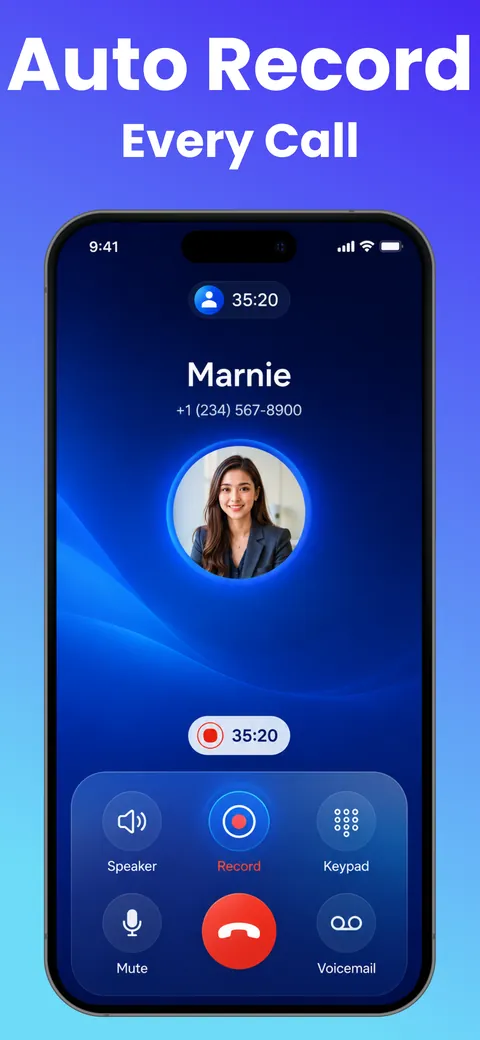
Auto record every call: the in-call screen with recording on

Call recording with AI

Never miss a detail on any call.

Record a call with one tap, or turn on Auto Call Record. Then read it, skim it, or ask about it.

  • Full transcripts of recorded calls
  • AI summaries with the key points
  • Ask AI questions about the call
  • Play, scrub, share and bulk-delete recordings

Multiple numbers

Up to three lines. One app.

Label each number and pick which one to use when you call or text. Recents and Messages filter by line.
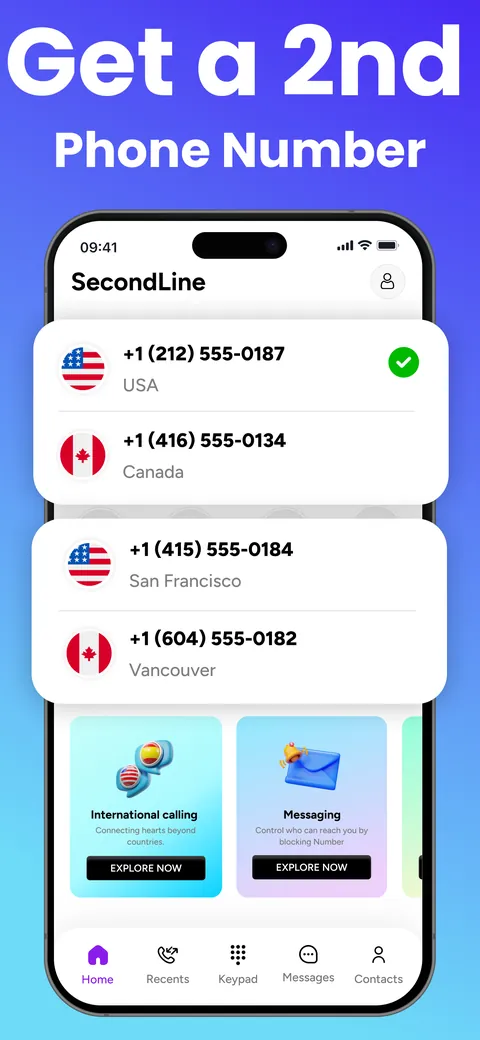
iPhone and iPad · up to 3 lines
  • Labels for Primary, Secondary, Private and Travel, or your own
  • Renewal dates and renewal for each line in My Numbers
  • Voicemail and call forwarding set per line
Get a 2nd phone number: US and Canadian numbers listed together in the app
Let's fix it togetherTroubleshooter · about 10 seconds 6/6
  • ConnectionCheckingOK
  • Your numberCheckingOK
  • SubscriptionCheckingOK
  • CallingCheckingOK
  • MessagingCheckingOK
  • App versionCheckingOK
One-tap fixes
ReconnectRestore purchasesTurn on notificationsAllow microphoneTurn off DND

Help and support

Help is built in. A person is a tap away.

The troubleshooter checks your connection, number, subscription, calling, messaging and app version in about 10 seconds, then offers one-tap fixes. It includes a microphone and speaker test.

  • Live chat with our support team. Attach files and get notified when they reply.
  • Email support if you'd rather write
  • Write to the CEO from the app or the app-icon shortcut
  • Never shares your messages or contacts

Plans and credits

A plan for your number. Credits for your calls.

A subscription keeps your number active. Calls and texts draw from a credit balance, so you top up only what you use. Cancel anytime.

SubscriptionWeekly

A second line for a short project or a trip.

7days per renewalGet the app
  • Your own US or Canadian number
  • Plans can include credits
  • Number held 10 days if it lapses
  • Cancel anytime
SubscriptionYearly

Keep your number for the long run.

12months per renewalGet the app
  • Your own US or Canadian number
  • Plans can include credits
  • Number held 10 days if it lapses
  • Cancel anytime

Prices appear in your local currency in the App Store or Google Play before you buy. Subscriptions are managed by Apple or Google, and Restore Purchases is supported.

FAQ

Questions, answered.

Still stuck? Open live chat in the app and our team will help.

Do I need a second SIM or a new phone?

No. TextUp works on the phone you already have, over Wi‑Fi or mobile data.

Which numbers can I get?

United States and Canadian numbers. You can search by state or province and then by area code.

Can I call other countries?

Yes. You can call and text worldwide, and each country's rate is listed in the app before you dial.

How are calls and texts paid for?

Calls, SMS and MMS use credits from your balance, and every charge is listed in Credit History in the app. Some plans include credits.

Will people see my real number?

No. They only see your TextUp number.

Can I cancel?

Yes, anytime, from your App Store or Google Play subscription settings.

What happens if my subscription ends?

Your number is held for 10 days so you can renew and keep it.

Can I have more than one number?

Yes, up to 3 on iPhone and iPad.

Is there support?

Yes. Chat with our team in the app, send us an email, or run the built-in troubleshooter.

Get started

Your second number is one download away.

Pick a US or Canadian number in the app. It's active right away.
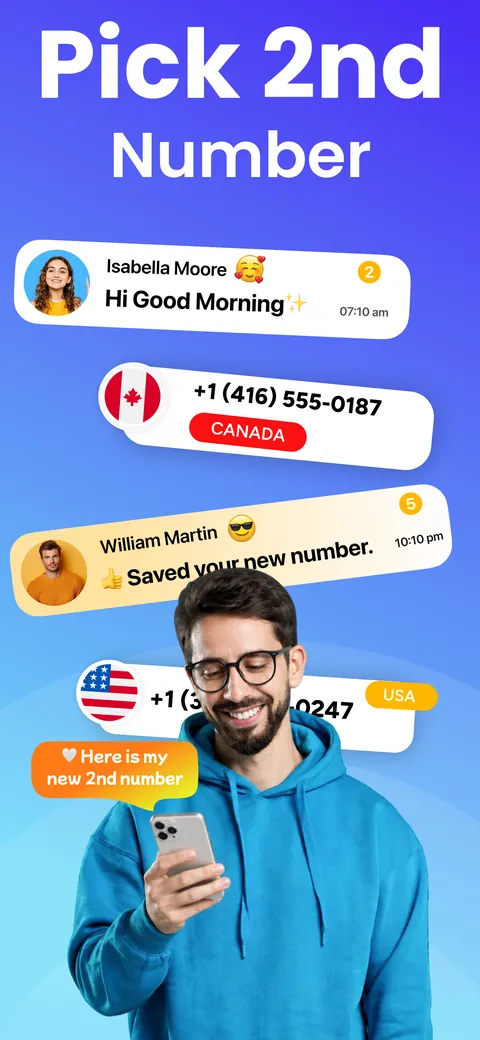
Pick a 2nd number: US and Canadian numbers, and someone sharing their new 2nd number